Mission control for all of your trips
Drop in the bookings, screenshots and half-formed ideas — TrekDeck turns them into one organized itinerary. It catches what's missing — a hotel night here, a too-tight connection there — while it's still easy to fix, then stays with you on the ground and remembers the trip after.
From first spark to locked itinerary
Every trip moves at its own pace. TrekDeck meets you wherever you are — a vague daydream or a fully booked week away.
Capture everything
Start before it's a plan. Collect places, links and loose ideas in one trip — no dates, no commitments, just everything you're considering.
Shape the days
Drag items onto days and rough out the order. See the shape of the trip before you commit to a single time or booking.
Lock it in
Set real dates and times, then follow a live itinerary on the ground — with Trip Health watching every gap and tight connection.
Control without the anxiety
Ideas, bookings, notes and changing plans — handled, so the joy of the trip stays front and center.
Import your plans
Paste a confirmation email or drop a PDF or screenshot. TrekDeck reads it and turns it into organized itinerary items automatically.
Trip Health
Spots missing nights, tight connections and gaps before they become a problem — each with a one-tap fix.
AI second opinion
An honest read on pacing and balance, plus tailored ideas for food and things to do that fit the days you've already planned.
To-dos that follow up
Every trip carries its own to-do list. Add a due date and TrekDeck emails you before it slips, then sends a roundup of anything still open as the trip gets close.
Map & day view
See the whole route on a map, or zoom into a single day's timeline when you're out and on the move.
Share & logbook
Send a polished link or PDF to anyone — no account needed — and keep every trip as a logbook to look back on.
The real thing, not a mockup
Screens from an actual ten-day trip through Rome, Florence and Venice — planned, gap-checked and mapped in TrekDeck.
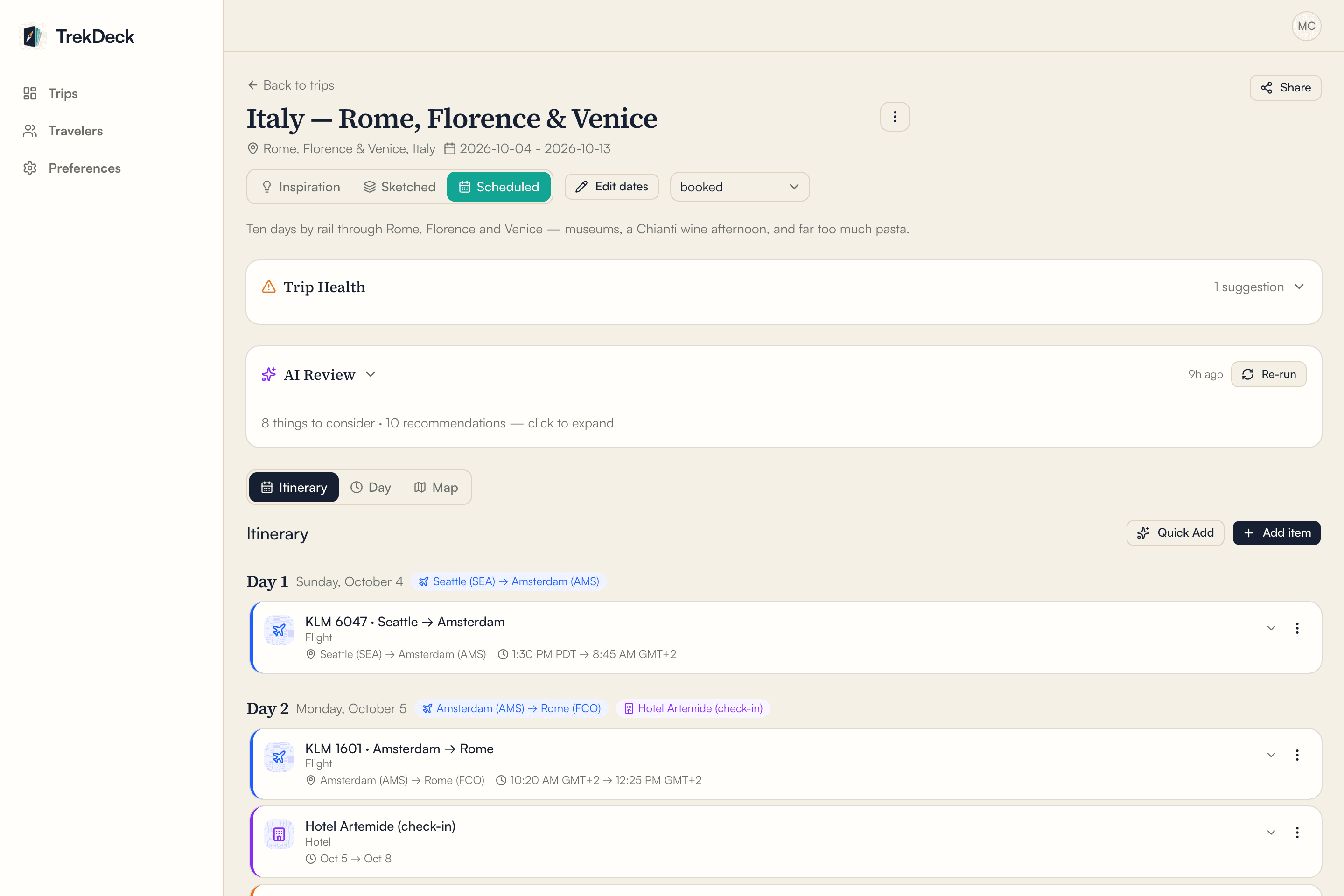
A day-by-day itinerary
Flights, trains, hotels and meals in order — each time in its own local zone, so an overnight flight still reads right.
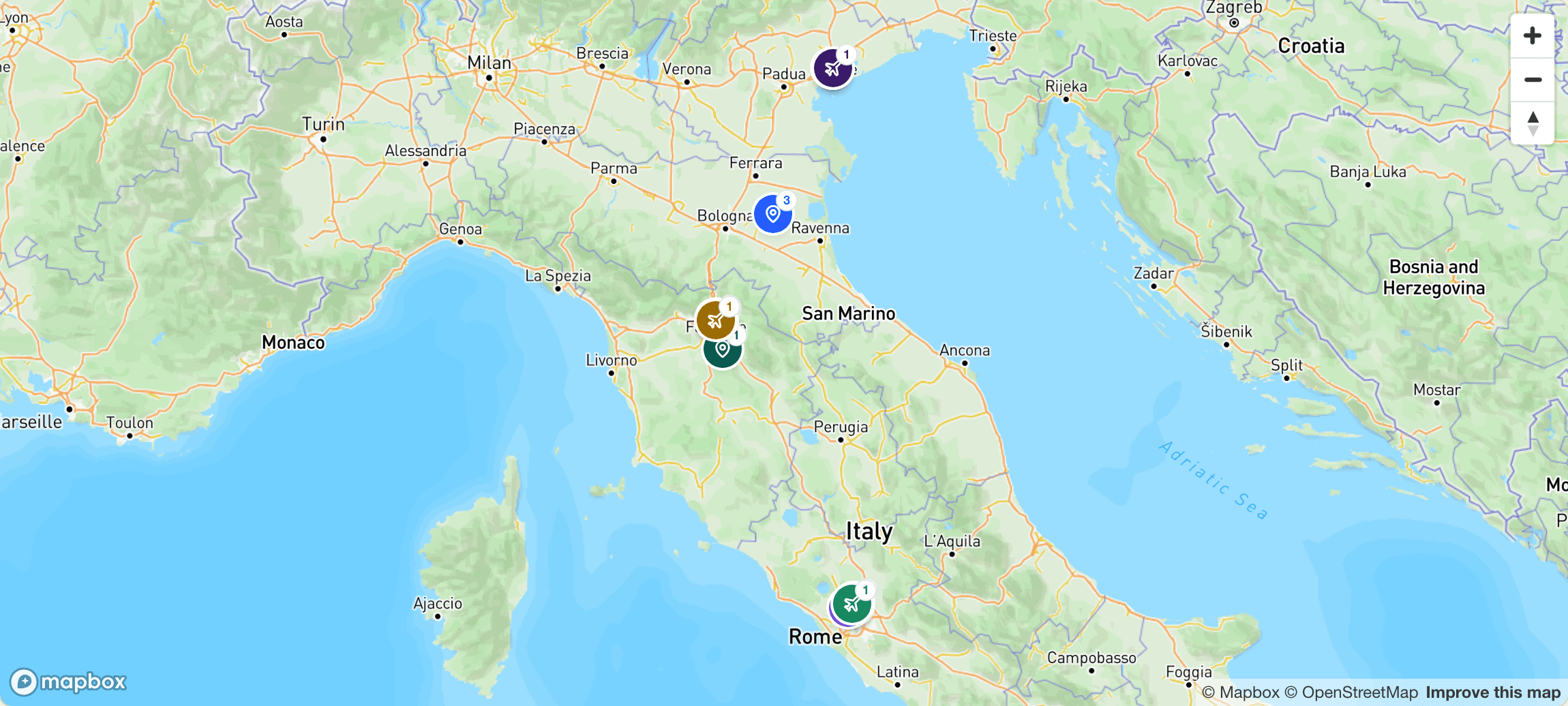
The whole trip on a map
Every stop pinned and colored by day, so you can see how the trip actually flows.
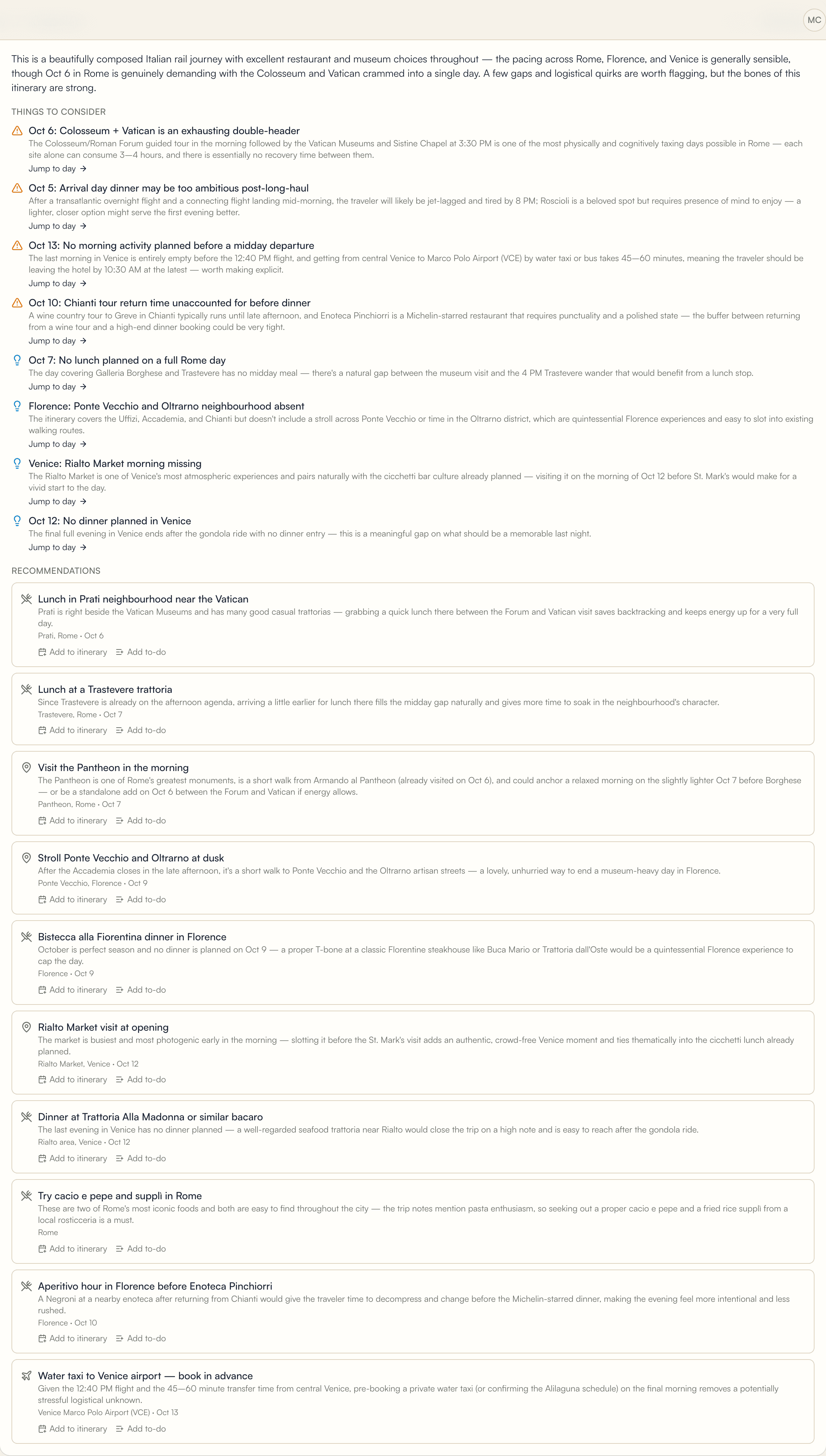
A second opinion from AI
An honest read on pacing and gaps, with specific, local ideas you can act on.
Then take it with you
Planning is half the story. TrekDeck comes along for the days you're actually away.
The day view lays out what's next, hour by hour — in local time
The map shows how far the next stop really is
Notes and ratings capture it while it's happening
A co-pilot that reads the whole trip
TrekDeck checks the things that ruin trips — and gives you a second opinion you can actually act on.
A well-paced 12 days. Your Rioja stretch is relaxed, but the San Sebastián leg is heavy on food without much downtime — consider a slower morning before the coast drive.
TrekDeck started the way most trips do: a folder of screenshots, a spreadsheet, and a dozen confirmation emails. I built it because I wanted the joy of planning without the mess — and it's the tool behind every trip I take.
Questions, answered
What can TrekDeck import?
Paste the text of a confirmation email, or drop in a PDF or screenshot — flights, hotels, trains, rental cars, restaurants, tours. TrekDeck reads it, files each piece on the right day, and you review everything before it's saved.
Do my travel companions need accounts?
No. Share a link and they see the live itinerary in any browser — no sign-in required. You choose what each link shows, down to hiding confirmation numbers.
Is my data private?
Yes. Trips are private to your account, and nothing is public unless you create a share link — and every link can be scoped, set to expire, or revoked at any time.
Does it work on my phone?
TrekDeck runs in any browser, phone included — the day view is built for checking what's next on the move. A dedicated app with offline trips is on the roadmap.
Your next trip is already half-planned.
Bring the screenshots and the daydreams. TrekDeck turns them into a plan you can actually follow.